Christian SVG Design: Using God is Faithful in Your Creative Workflow
Scalable Vector Graphics have changed how creators produce digital and physical products for the Christian market. Among the most requested themes is the phrase God is Faithful, a declaration rooted in Scripture that resonates across denominations, seasons, and project types. Understanding how to source, prepare, and implement these designs effectively can save hours of revision and elevate the final output for your audience.
What Christian SVG Design and God is Faithful Assets Offer
A Christian SVG design is a vector file built around faith-based imagery, typography, or symbolism. Unlike raster images, SVGs scale infinitely without losing quality, which makes them ideal for print, web, and cut-file workflows. The God is Faithful theme appears in multiple formats: single line art, layered lettering, ornamental frames, and combined scripture references such as Lamentations 3:22-23 or Deuteronomy 7:9. For creators and small business owners, these files become the backbone of products like wall art, t-shirts, mugs, greeting cards, social media posts, and church bulletins.
The value lies in the file's adaptability. One SVG can be resized for a phone wallpaper, then scaled up for a poster without redrawing anything. When you purchase or create a God is Faithful SVG, you are investing in a reusable asset that can serve multiple projects across different platforms.
Where God is Faithful SVGs Fit in a Real Workflow
Integrating these designs into your routine depends on the type of work you do. Below are three common scenarios that map to different stages of the creative and production process.
Before a Project: Planning and Asset Preparation
If you run an online store selling faith-based products, your planning phase involves deciding which designs will release each season. A God is Faithful SVG can be prepared ahead of time by checking the file for clean paths, appropriate layers, and font compatibility. Many SVG files come with multiple variations—script, sans-serif, distressed, or ornate. During this stage, you can open the file in vector editing software such as Adobe Illustrator or Inkscape, verify that all nodes are properly closed, and organize layers for cutting or printing.
For a print-on-demand seller, this preparation means assigning color swatches, setting up mockup templates, and testing scaling limits. For a church media team, it might mean converting the SVG into a transparent PNG for slides or building a template around it for weekly announcements. The planning stage is where you resolve compatibility between the SVG and your equipment, whether that is a vinyl cutter, laser engraver, or digital printer.
During a Project: Execution and Integration
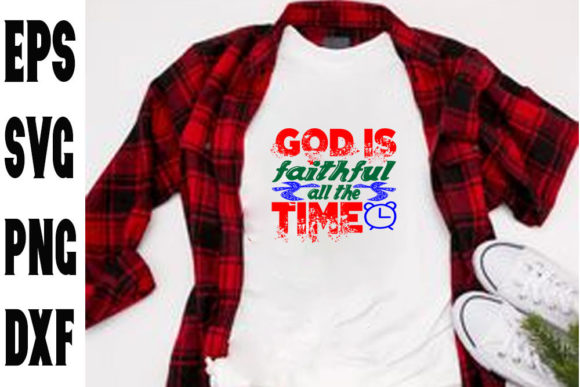
When you move into production, the God is Faithful SVG becomes the central visual element. For a custom T-shirt order, you would import the SVG into your cutting software, adjust the size to fit the garment, and set the cut parameters. In a digital context, such as building a landing page for a church event, the SVG can be embedded directly into HTML or used as a scalable hero image.
At this point, interaction with other tools becomes critical. If you use Cricut Design Space or Silhouette Studio, check that the SVG version matches the software requirements—older versions sometimes cause path errors. If you work with Canva, you may need to ungroup the SVG elements to recolor individual letters. Knowing how your chosen platform handles vector imports reduces friction and preserves the design integrity that the original creator intended.
For content creators and bloggers, the God is Faithful SVG can be inserted into social media graphics using tools like Adobe Express or Canva Pro. Exporting as a PNG with a transparent background allows you to layer the text over photographs or solid backgrounds, creating shareable posts that align with your brand aesthetic.
After a Project: Archiving and Repurposing
Once a project is complete, storing the SVG file properly ensures you can reuse it later. Create a folder system organized by theme, file type, or scripture reference. A God is Faithful SVG used for a Christmas card can be resized and recolored for a Mother’s Day post or a Sunday morning slide. Clean up your working file by removing unused layers, embedding fonts where possible, and saving a master copy before flattening for production.
Long-term use also involves tracking performance. If you sell products featuring this design, note which sizes, colors, and product types generate the most orders. This data informs future design purchases and helps you decide whether to commission custom variations of the same verse.
Interacting with Other Resources and Platforms
A Christian SVG design rarely works in isolation. It interacts with:
- Vector editing software for path adjustments, color changes, and combining multiple SVGs into one composition.
- Cutting machine software for scaling, mirroring, and material selection when producing physical goods.
- Print-on-demand platforms like Printful, Teespring, or Redbubble where the SVG is uploaded as a design layer.
- Web builders such as Squarespace or WordPress where SVGs are used for logos, headers, or icons.
- Marketing tools like Mailchimp or Canva for email headers and social content.
Understanding how your SVG interacts with each platform saves time. Some platforms strip SVG metadata or flatten layers automatically, so keeping a backup of the original file is essential. If you collaborate with other creators, establish a naming convention that includes the scripture reference, file version, and date modified. This small workflow discipline prevents confusion when passing files between designers, production staff, or clients.
For Small Business Owners and Entrepreneurs
If you sell Christian SVG files or products using them, consistency matters. Establish brand guidelines for how God is Faithful designs should look across your store. Stick to a specific color palette and typography style so customers recognize your work. When listing a product that uses the God is Faithful phrase, include the Scripture reference in the title and description. This improves SEO and helps buyers understand the biblical context, which builds trust and aligns with E-E-A-T principles.
Also, test your SVG files across multiple machines and software before release. A file that works perfectly in Illustrator might have misplaced elements when opened in a budget cutting program. Quality control at this stage reduces customer support requests and returns.
For Educators and Bloggers
If you create teaching resources or blog posts around faith topics, SVGs provide visual anchor points. Use the God is Faithful SVG as a header image, a printable coloring page for children’s ministry, or a graphic for a memory verse series. For bloggers, embedding the SVG directly into the HTML of a post allows the graphic to scale with screen size without blurring, which improves user experience on mobile devices.
When including the SVG in a downloadable PDF or worksheet, convert it to a high-resolution PNG at 300 DPI to ensure print clarity. Keep the original vector file separate in case you want to resize or edit the graphic for future posts.
For Hobbyists and Creatives
If you pursue faith-based crafting as a personal practice, the God is Faithful SVG can be a starting point for larger compositions. Combine it with floral elements, crosses, or background textures to create unique pieces for your home or gifts for others. Practice manipulating the file by experimenting with fill patterns, stroke weights, and layering. The more comfortable you become with vector editing basics, the more value you will get from each SVG you own.
Organize your files by theme and project status. A simple folder structure with subfolders for cutting files, digital files, and master files makes it easy to locate a design months later when you want to revisit it.
Usability and Compatibility Considerations
Not all SVG files are created equal. When selecting a Christian SVG design, especially one centered on the God is Faithful theme, look for these quality indicators:
- Clean paths that are closed and free of overlapping nodes.
- Well-named layers that make editing straightforward.
- Appropriate complexity for your device (intricate cuts may require adjustment on basic machines).
- Font outlines instead of live text to avoid missing font errors.
If you are creating your own God is Faithful SVG from scratch, keep the design readable at small sizes. Thin strokes and elaborate flourishes look beautiful on screen but may fail when cut on vinyl or etched into wood. Test the design at the smallest intended use size before finalizing it.
Efficiency and Organization for Long-Term Use
As your collection of Christian SVG files grows, organization becomes a productivity factor. Develop a naming convention that includes the verse, designer, date, and format. For example: God-Is-Faithful_Lam3-22_Script_2025-02.svg. This makes searching your library fast and reduces duplicate purchases.
Consider using cloud storage with version history so you can revert to an earlier edit if needed. Backup your SVG files in at least two locations, especially if you rely on them for income. A lost master file can halt production and force costly redraws.
For teams, centralize SVG assets in a shared drive with clear permissions. When multiple people need access to the same God is Faithful SVG, having one source of truth prevents discrepancies between what the designer sends and what the production team cuts.
Quality Control and Consistency Across Outputs
Whether you produce digital content or physical products, consistency in how the God is Faithful design appears matters. Compare the color, spacing, and proportions of the SVG before and after export. Print a test swatch or create a preview image before committing to large batch runs.
If you use the same SVG across multiple platforms, check that the rendering is identical. SVG engines differ between web browsers, cutting software, and design tools. A design that displays correctly in Chrome might have misaligned elements when opened in Silhouette Studio. Catching these issues early prevents a poor customer experience.
For long-term use, revisit your SVG files periodically to update or refine them. As your skills improve, you may want to add kerning adjustments, replace rough curves, or standardize line weights. Treat your SVG library as a living resource rather than a static collection.
Final Observations on Christian SVG Design and Faithful Messaging
A well-prepared God is Faithful SVG is more than a graphic file. It is a resource that, when integrated into a thoughtful workflow, supports consistent messaging across products, platforms, and seasons. Whether you are a business owner launching a new product line, a content creator building a visual library, or a hobbyist crafting personalized gifts, the same principles apply: plan your assets, test your outputs, and organize your files for reuse.
The most effective creators treat each SVG as part of a system, not a one-off design. By understanding how the God is Faithful theme fits into your broader process—from planning to production to archiving—you reduce wasted effort, maintain quality, and deliver work that resonates with your audience. And in a market where faith-based designs are abundant, executing well on the basics of workflow and implementation is what separates a successful project from an inconsistent one.